MeliInspector: Listing Snapshots and Profit Scenarios
Read public prices, reviews and cumulative sold labels on opened product pages. Save private snapshots after confirmation. Fees and exchange rates are references or manual inputs; actual monthly sales are not provided.
4-Step Offline Installation Guide (Chrome, Edge & Brave)
No Chrome Web Store VPN required. Download, extract, and load within 30 seconds.
Download & Unzip Package
Click 'Download Offline ZIP Package' above and extract the zip archive into a dedicated folder on your drive.
Open Browser Extensions Page
Type chrome://extensions/ in Google Chrome address bar (or edge://extensions/ in Microsoft Edge) and hit Enter.
Enable Developer Mode
Toggle on the 'Developer mode' switch located in the top-right corner of the Extensions dashboard.
Load Unpacked Directory
Click the 'Load unpacked' button on the top-left and select the extracted folder. MeliInspector is now live on Mercado Libre!
chrome://extensions/Edge URL:edge://extensions/Profit Scenarios
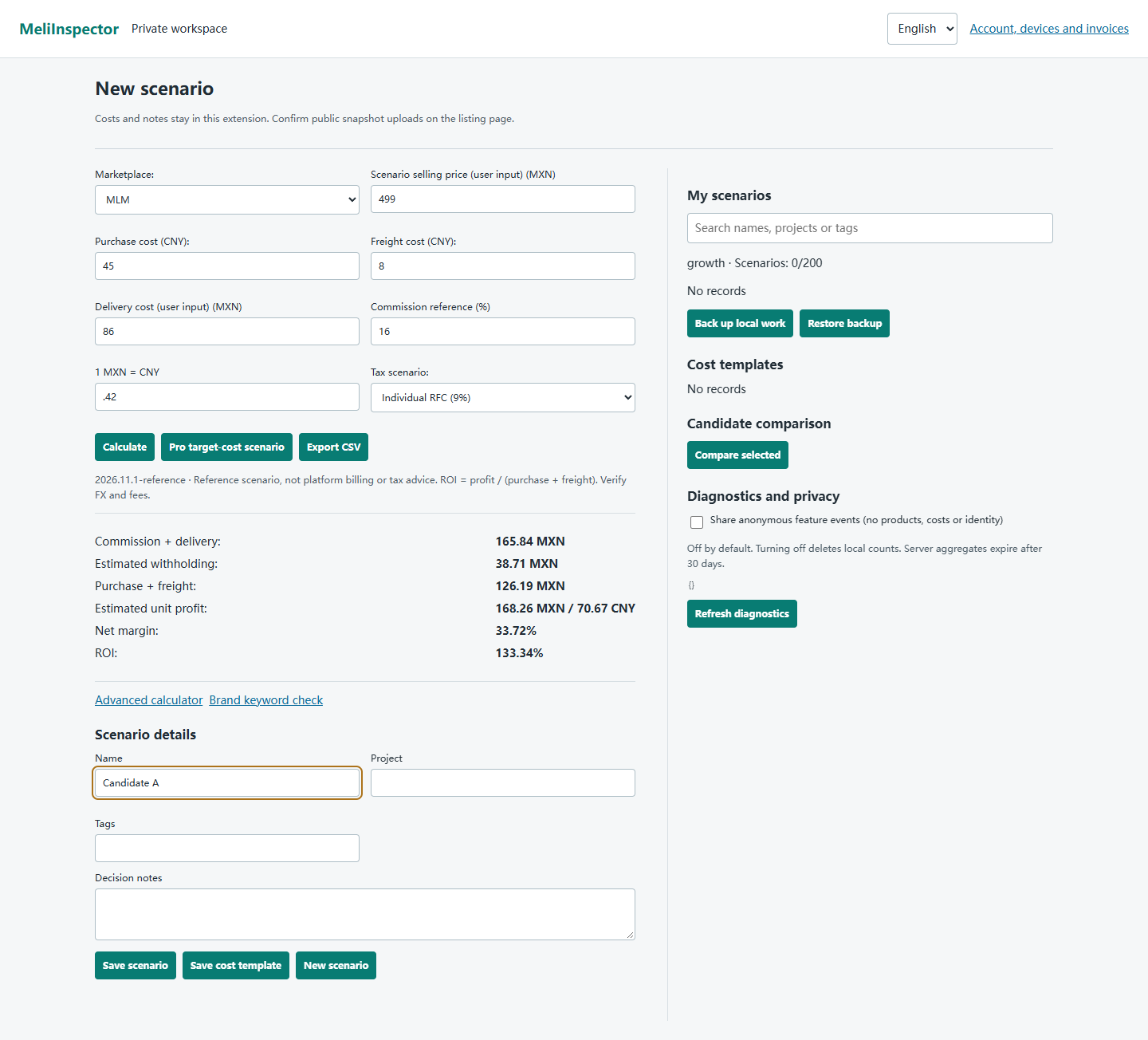
Enter sourcing and shipping costs with configurable commission and exchange-rate references. Results are estimates, not platform bills or tax determinations.
Public Page Observations
Read identifiable prices, ratings, review counts and cumulative sold labels. Missing fields remain unavailable; actual monthly sales are not invented.
Private Snapshots and CSV
Members explicitly save listing snapshots with history. CSV exports contain loaded page samples and clearly identified scenario inputs.
BPP Trademark Strike Warning
Matches built-in brand keywords in listing titles as risk signals, not legal advice or a compliance guarantee.
Frequently Asked Questions: MeliInspector Extension
How do I install the MeliInspector extension manually on Google Chrome or Microsoft Edge?
Click 'Download Offline CRX / ZIP Package' above and extract it to a local folder. In your browser address bar, open chrome://extensions/ (or edge://extensions/ on Edge), toggle on 'Developer mode' in the top right corner, click 'Load unpacked', and select the extracted folder. The extension will activate instantly on any Mercado Libre product page.
Does the extension support all Mercado Libre Latin American marketplaces?
Domain and currency recognition is provided for Mexico, Brazil, Chile and Colombia. Layout changes can prevent extraction. Missing fields remain unavailable instead of being replaced with default prices or sales.
Is there any risk of seller account suspension or cross-store association by using this extension?
The extension does not require a Mercado Libre password or official token, and does not upload seller cookies, login credentials or browsing history. Zero association or suspension risk is not guaranteed. Platform rules and content rights still apply.
Will the extension automatically update when Mercado Libre changes its frontend layout?
The ZIP checks for releases every 6 hours and notifies you, but cannot install silently. Replace files in the original extension folder, reload it in the extensions manager, then refresh product pages. Chrome Web Store installations are browser-updated; this website currently distributes the ZIP. Parser rules ship with each release, and snapshots still require an explicit save.
How many devices can be online at the same time with a License Key?
Only 1 device is allowed online at a time (Starter / Growth plans can bind up to 2 devices). For multi-user team access, choose the Enterprise plan (supports 5 devices simultaneously).
What are the limitations of the free version, and what does the License Key unlock?
The free version is limited to 10 inspections/day and locks advanced features (CSV exports, corporate zero-withholding tax modes, target cost ceiling, and BPP audits). Activating your License Key unlocks unlimited inspections and all premium features.
Install MeliInspector Today
No marketplace password required. Private synchronization requires an active membership and your confirmation.